
Skywork AI Review: Can One AI Agent Really Do It All?
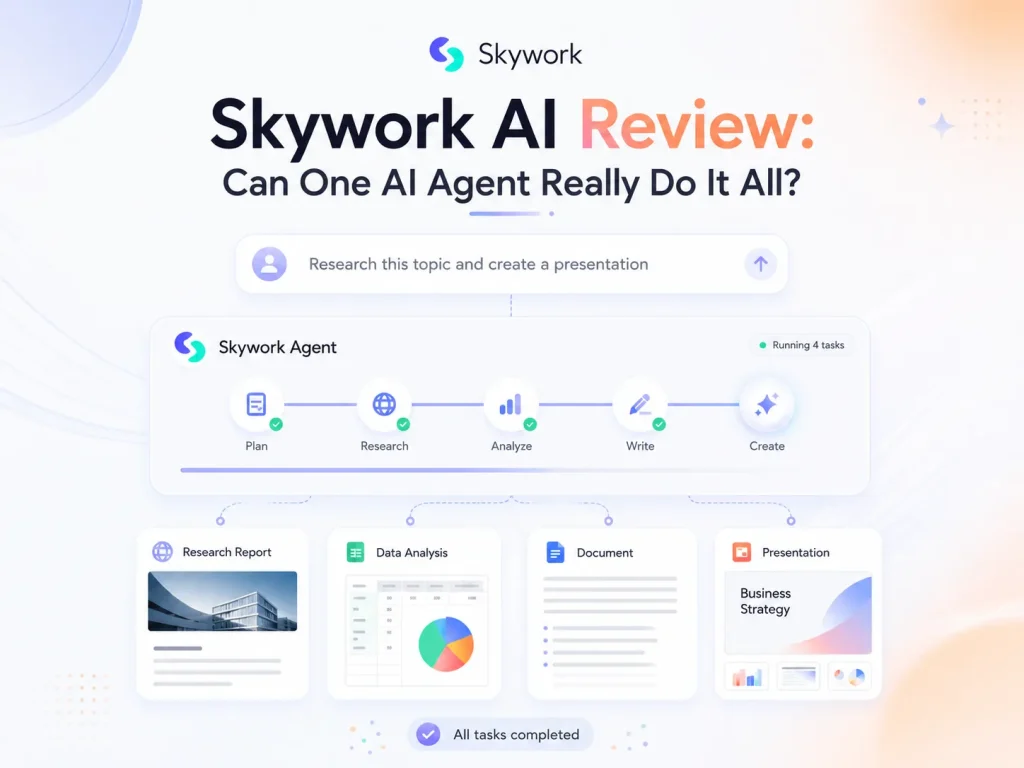
There are more AI tools than ever, but the frustrating part is that one task often still takes several different tools to get done. Take creating a PPT, for example. You might start by gathering information and generating the content, then switch to another tool to polish the copy and fix the layout. It may seem like something AI should be able to handle from start to finish, yet you still end up jumping between different tools to put everything together.
That’s where AI agents get interesting. Instead of helping with just one step, they try to take over the whole task. Skywork AI is a good example. It brings documents, PPTs, websites, videos, and other tasks into one agent-based workflow.
On paper, it sounds like it can do almost everything. But can one AI agent really handle all of these tasks well? How much time can it actually save, and how much of the final result still needs to be fixed manually? In this review, we put Skywork’s agent capabilities to the test, focusing on its strengths and weaknesses to see whether it can actually fit into your workflow.
What Is Skywork AI?
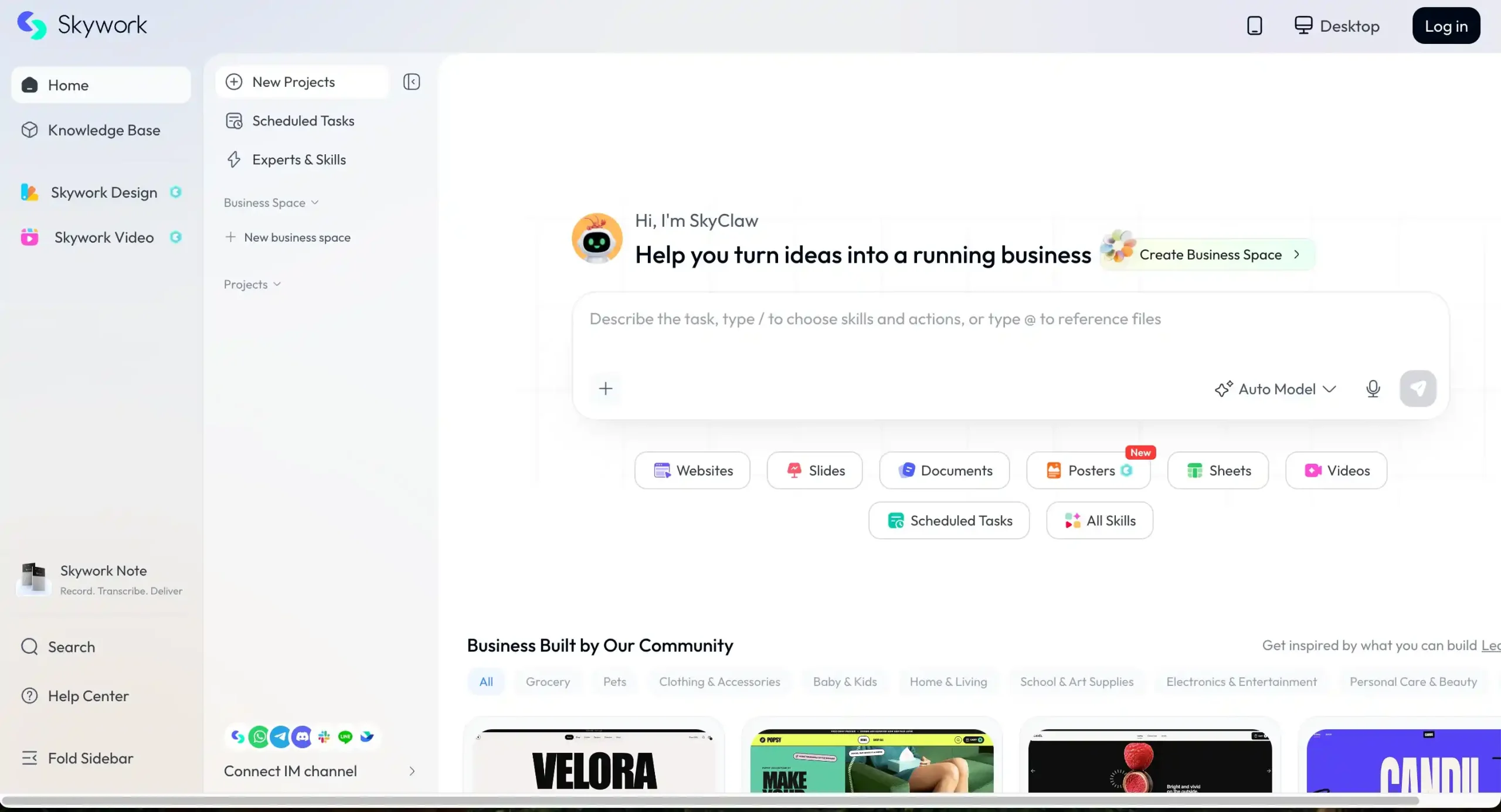
Skywork AI is a productivity platform built around AI Agents. Unlike a typical chat-based AI, you’re not just asking a question and getting an answer. You can tell it what you want to accomplish, and it takes care of the steps that follow.
A simple prompt can turn into different types of content with Skywork, from images and PowerPoint presentations to web pages and more. It also offers a range of experts and skills for different tasks, so you can choose what you need without having to figure everything out from scratch.
Skywork AI at a Glance: What Makes It Different?
| Comparison | Traditional AI Tools | Skywork AI |
|---|---|---|
| Core Approach | Mainly based on question-and-answer interactions | Task-oriented |
| AI Capabilities | Focused on a specific function | Offers experts and skills across different fields |
| Task Steps | Typically handles one step at a time | Handles multiple steps based on the task goal |
| Content Types | Focused on one type of content | Supports text, documents, PPTs, spreadsheets, videos, and more |
| Workflow | Users usually need to connect the different steps themselves | Takes care of more of the workflow with less manual work |
How Does Skywork AI Work?
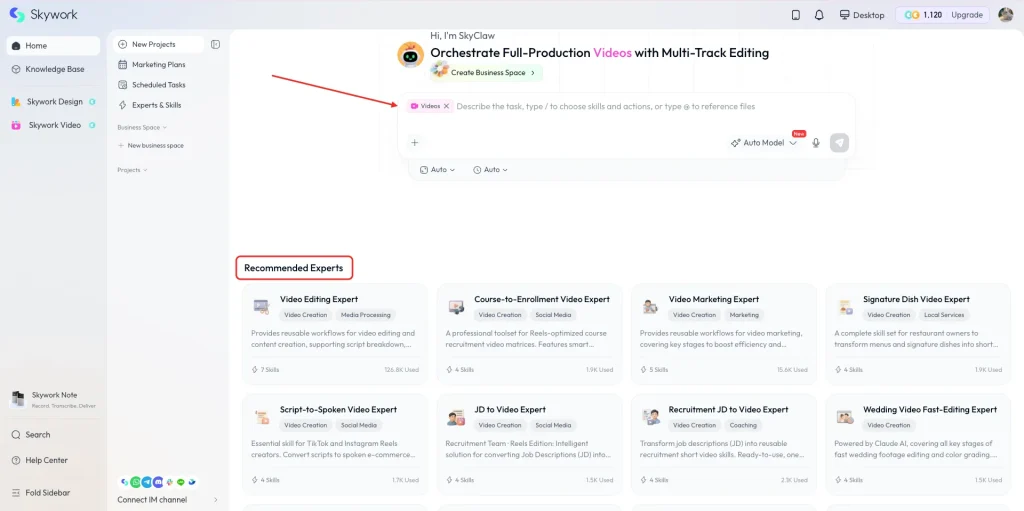
Skywork is fairly straightforward to use. You start with the type of task you want to work on, then choose the relevant skill, expert, and model. For example, if you’re working on a video task, the process looks something like this.
Step 1: Choose a Skill
First, choose the type of content you want to work with, such as video. Skywork offers different skills for different types of work, so you don’t have to dig through a long list of features to find what you need.
Step 2: Pick a Specialized Expert
Once you’ve chosen a skill, you can narrow it down further by picking a specialized expert. For video tasks, for example, you might see options for video editing or quickly turning wedding footage into a finished video. Each expert is designed for a specific use case, making it easier to find the right one.
Step 3: Choose a Model and Describe Your Needs
Next, choose the AI model you want to use and describe what you need. You can simply explain what you’re looking for, and Skywork will generate a prompt based on your request to help with the task.
Step 4: Generate and Refine
Once everything is set, you can start generating. If the result isn’t quite what you want, you can make changes and give it another try until you get closer to the result you’re looking for.
Skywork AI Agent Test: What Can It Actually Do?
Test 1: Content Transcription & Summarization
What We Asked
To test Skywork’s transcription and summarization capabilities, I uploaded a TED Talk and asked it to do two things: transcribe the video and summarize the key points. I didn’t specify any particular format or structure for the summary. I simply asked it to give me a quick overview of what the talk was about and the main takeaways.
What We Got
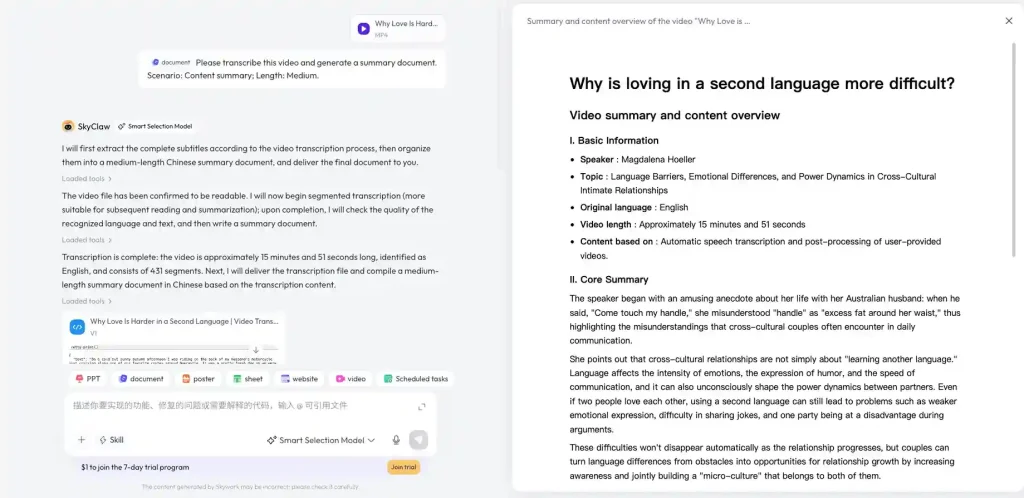
A few minutes later, Skywork finished transcribing the video and generated a summary document. From what we could see, it included the basic video information, main topics, and other details such as keywords, so the overall information was fairly complete. However, the full result requires a paid plan, so we could only view part of it.
The more noticeable issue was with the Core Summary. Instead of breaking the talk down into clear key points, it used several fairly long paragraphs to summarize the content. It gives you a general idea of what the talk was about, but it’s not the easiest format if you just want to quickly pick out the main takeaways. You still have to read through the paragraphs yourself to figure out what the most important points are.
Test 2: Professional PPT Presentation
What We Asked
This time, I chose the PPT skill and the Brand Promotion template. I then asked Skywork to create a promotional PPT for Saveto AI and gave it some basic information about the website. The main goal was to see how well it could turn a simple brief into a complete presentation.
What We Got
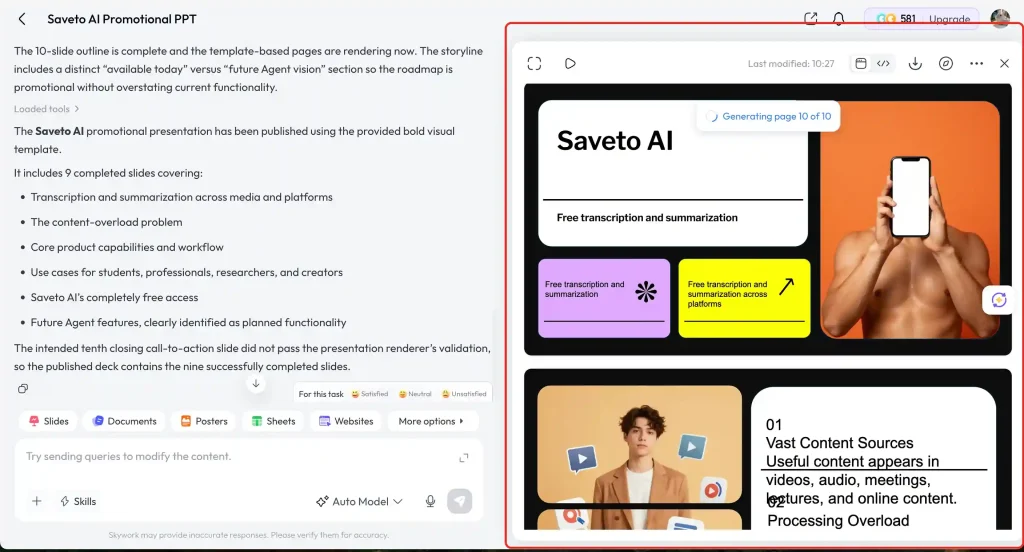
Skywork ended up generating a PPT of around 10 slides. Since the prompt was fairly simple, the content was somewhat limited and didn’t feel particularly engaging. It covered the basic brand introduction and features, but the information was presented in a fairly simple way without much that really stood out.
The visual side was similar. The overall structure was there, but some of the slide layouts felt a little plain and didn’t quite have the polish you’d expect from a presentation made for brand promotion. There were also some formatting issues on a few slides, with certain text and elements appearing out of place and needing some manual adjustment.
Test 3: Poster Design
What We Asked
For this test, we chose Instagram Story under Poster and created a design for a Vitamin C Serum. We wanted a clean, polished look with a skincare brand feel, while keeping the product front and center. The design also included the product name, a short tagline, and a clear CTA.
What We Got
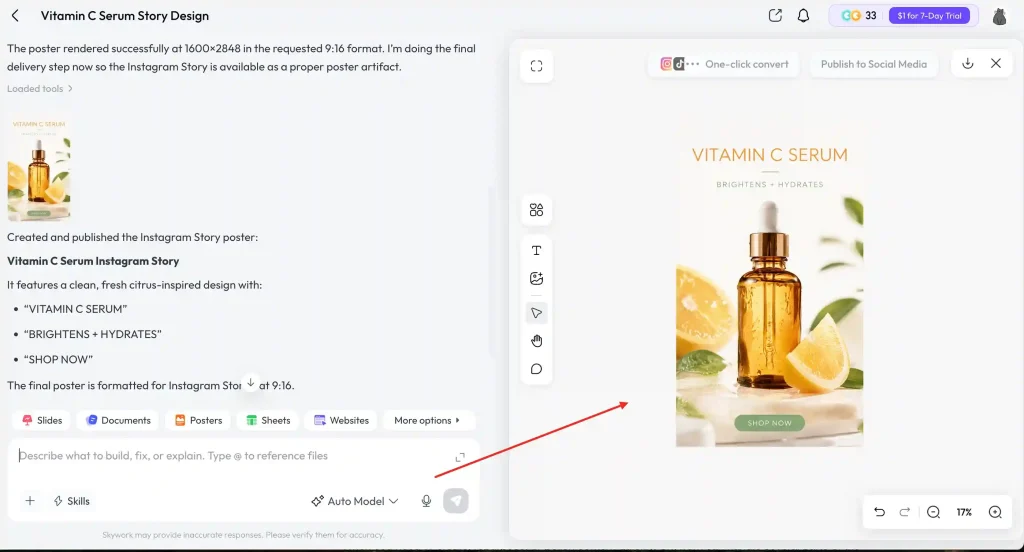
Skywork created an Instagram Story featuring Vitamin C Serum, with oranges, green leaves, and “Brightens + Hydrates” as the main visual elements. The overall look is clean and fresh, which fits the typical skincare style.
From this test, Skywork handled the simple product promotion brief pretty well. Even without many details, it was able to fill in the visuals and copy on its own. That said, the final design felt fairly standard and lacked a bit of creativity and brand personality. It works well for a simple social media post, but more specific instructions would probably be needed for something more distinctive.
Real Feedback on Skywork AI Agent
Pros
- Fast generation: From entering a prompt to getting the final result, the waiting time is pretty short. During our tests, we rarely had to wait long.
- Easy to use: The workflow is straightforward, so you don’t need much time to figure out how everything works.
- Covers a wide range of tasks: From meeting summaries and PPTs to social media designs, Skywork can handle different types of tasks in one place.
- Good overall output: Even with a simple prompt, it can fill in the details, add visual elements, and produce a solid first draft that you can work with.
Cons
- Limited creativity: For tasks like PPTs and posters, the results can feel a little generic and sometimes have that typical “AI-generated template” look.
- Not always great with details: It handles simple requests well, but more specific requirements around content, layout, or style may take a few rounds of adjustments.
- Some results still need manual editing: The basic structure is usually there, but getting the final result to match your expectations often means making a few changes yourself.
- Complex tasks may need more back-and-forth: The more specific the request, the more likely you’ll need to fine-tune the result instead of leaving everything to the Agent.
Who Is Skywork AI Best For?
- Content Creators
When you need to create, repurpose, or polish content quickly, Skywork can handle several parts of the process. From organizing ideas and materials to producing different types of content, you can do it all in one place.
- Marketers
Research, data, content creation, and marketing materials often come together in the same project. Skywork can bring these tasks into one workflow, so you spend less time switching between different tools.
- Researchers and Students
When you’re dealing with a lot of information, Skywork can help organize materials, analyze content, and turn everything into a finished report. This can be useful for tasks that involve pulling scattered information together.
- Professionals
Documents, data, presentations, and other work-related tasks can all be handled in Skywork. It can be particularly useful when your work involves a mix of different tasks and you don’t want to use a separate tool for each one.
Skywork is a good fit if you need to handle different types of tasks, but if you only need to solve one specific problem, a specialized tool may be a better choice.
For example, Saveto AI or NoteGPT can be useful for video and audio transcription and summaries; Canva is a good option for images and design; Runway or Kling AI are better suited for AI video generation; and if your focus is writing and polishing content, Grammarly may be a better fit. Skywork’s main advantage is that it brings these different types of tasks together in one place, rather than trying to be the best at any one of them.Skywork is a good fit if you need to handle different types of tasks, but if you only need to solve one specific problem, a specialized tool may be a better choice.
Final Verdict
Overall, Skywork AI feels more like a feature-rich AI workspace than a tool built around one specific task. It covers a wide range of use cases, which makes it appealing for people who regularly work on different types of projects.
At the same time, trying to cover so many areas means it’s hard for Skywork to stand out in every one of them. If you see it as an AI agent that can help with most basic tasks, it does a pretty good job. But if you expect a finished result every time without having to make any changes yourself, it still has some room to improve.
FAQs for Skywork AI
Is Skywork AI easy to use?
Yes. Skywork covers almost every skill you might need, and you don’t need complicated prompts to get it to handle what you need.
Does Skywork AI offer a free plan?
Free users get a limited number of free credits, but they can run out pretty quickly. If you want to keep using Skywork, you can try it for $1 for 7 days before deciding whether to continue with a subscription.
What is Skywork AI used for?
Skywork AI is designed to help with a wide range of tasks, including content creation, document work, presentations, research, and other everyday workflows.
Can Skywork AI replace other AI tools?
Not entirely. Skywork covers a wide range of tasks and can replace several general-purpose tools in some workflows. However, specialized tools such as Saveto AI, which focus on specific areas like transcription and summarization, may still offer more focused features and a better experience for those particular needs.