
NoteGPT vs Saveto AI: Which YT Transcript Generator Is Better?
Author: Tung
Date: 04 15, 2026
Summary: The article provides an in-depth review of the popular YouTube transcript generator, NoteGPT, exploring its features, pros, and limitations, along with a best free alternative that effectively addresses some of its shortcomings.
For teachers, students, and professionals, transcription has become an important tool. It helps people in all fields save time and boost efficiency. For YouTube creators in particular, a reliable YouTube transcript generator can turn videos into editable text, making content reuse quick and easy.
Today, we take an in-depth look at two AI transcription tools, NoteGPT and Saveto AI, focusing on their YouTube transcript generator features to help you determine which one is the better choice for your needs.
What Is NoteGPT?
Main Features of NoteGPT's Transcription Tool
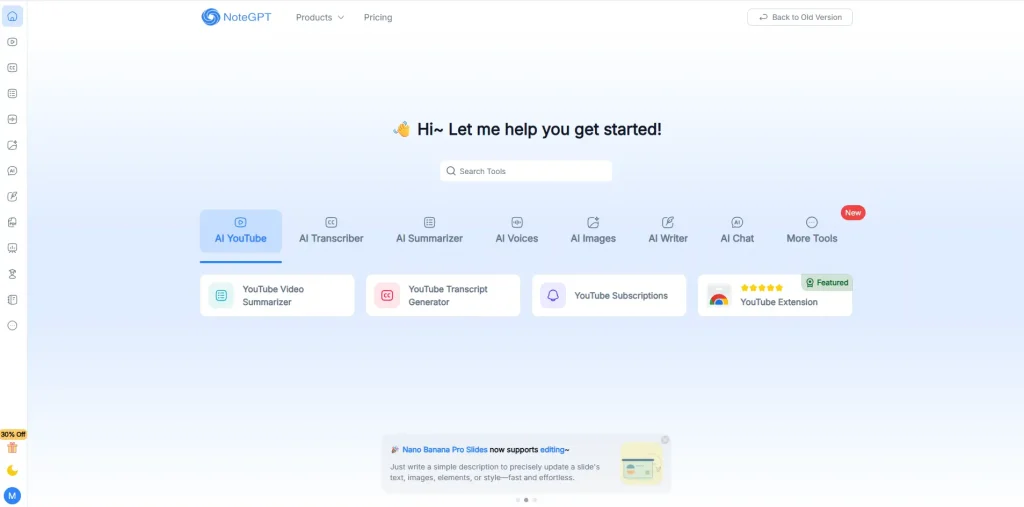
NoteGPT offers a wide range of features, including YouTube video downloading, transcription, summarization, audio tools, image generation, AI writing, and AI chat. When it comes to transcription, its main features include the following:
1️⃣YouTube Channel Features
Transcribe YouTube videos to generate transcripts and summaries, and even download entire YouTube playlists.
2️⃣Multimedia Transcription
NoteGPT supports videos, audio, voice, and images, allowing you to convert content from various media into readable and structured text.
3️⃣Multimedia Summarization
Not limited to videos, NoteGPT can quickly summarize podcasts, PDFs, Word documents, audio files, and even PPTs, books, and papers, saving you a lot of reading time.
4️⃣Editing & Further Processing
After generating the transcript, NoteGPT further organizes the content into summaries and mind maps. You can also review, edit, and highlight the text as needed.
Why Is NoteGPT YouTube Transcript Generator Becoming Increasingly Popular?
Although NoteGPT offers a wide range of features, its transcription tool remains the most popular. This article takes an in-depth look at the NoteGPT YouTube Transcript Generator, with the following advantages.
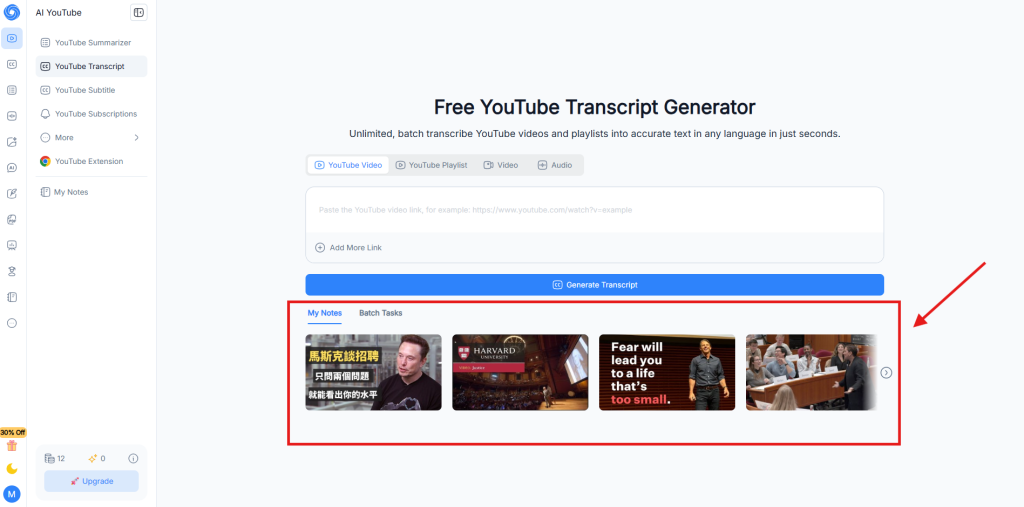
✅Wide Selection of Video Templates for Fast Preview
Most transcription websites don’t provide video templates, so users must upload their own videos or audio to start. This also means one free attempt could be wasted, especially since most sites now require payment to use their services.
✅Batch Transcription Support
While a paid feature, batch transcription is a must-have for many users and is not offered by many other sites. On NoteGPT, the number of videos you can transcribe at once depends on your subscription plan, with a minimum of 5 videos per batch.
✅Comprehensive Transcription and Summarization
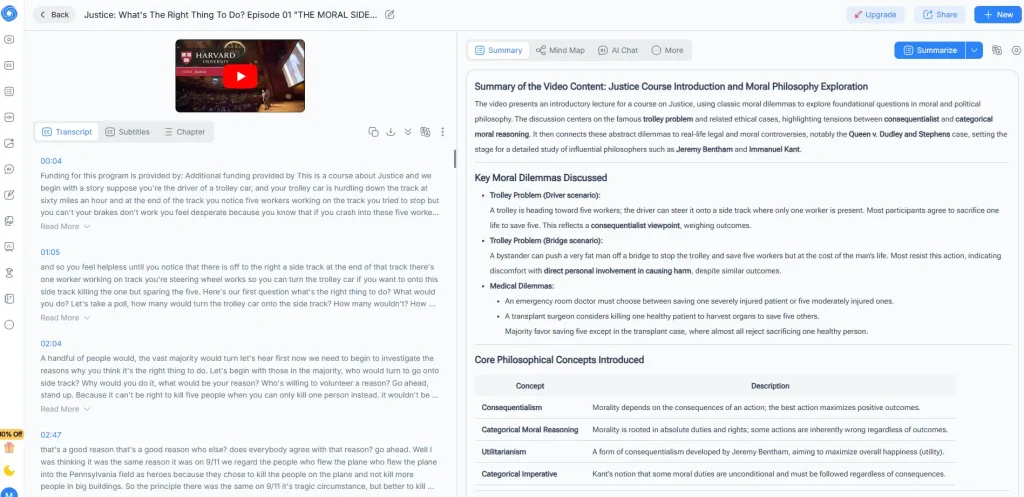
NoteGPT’s summaries feature paragraph-style overviews, bullet-point key insights, and easily scannable summary tables. Key content in videos is also highlighted in bold, making the summaries thorough and complete.
✅Supports Multiple Export Formats
After transcription, you can choose to export in TXT or SRT format, and decide whether to include timestamps or not.
✅Extensive Additional Features
In addition to summarization, you can convert your documents into mind maps, flashcards, presentations, podcasts, and even quizzes. For teachers, this makes it easy to quickly assess teaching effectiveness.
What Are the Limitations of NoteGPT YouTube Transcript Generator?
Indeed, NoteGPT’s features are impressive, but there are still some notable issues.
❌No Support for Other Platforms
Transcription of TikTok or Instagram links results in errors, only YouTube links are supported.
❌User Interaction Could Be Improved
After uploading a video link, there’s no one-click delete option, so you must remove it manually. Also, uploaded audio doesn’t automatically start transcription and requires a second manual step.
❌Video Length Limitations
Each video is limited to 1GB, and even for paid users, YouTube videos with subtitles are restricted to a duration of 40 to 210 minutes.
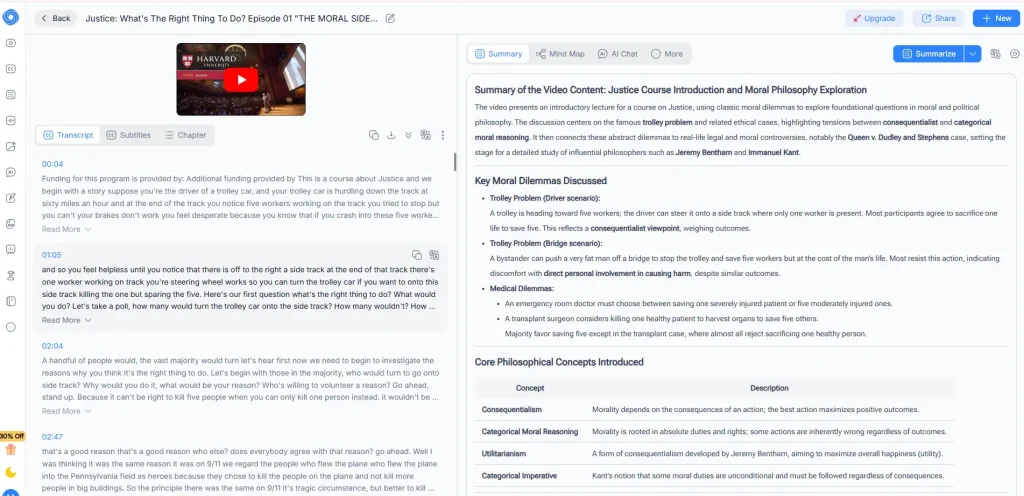
❌Video Display Area Is Too Small
The video section is compact, causing settings to be crowded together and making it hard for users to verify the accuracy of the transcribed subtitles.
❌Inconsistent Feature Performance
For example, in their templates, the video’s audio is in English, but the subtitles show in Chinese. At the same time, NoteGPT generates the transcription and captions in English, while the mind map appears in Chinese, creating a very confusing result.
❌Usage Is Limited
Free users cannot use the service without restrictions, as the number of transcriptions allowed per day is very low.
What's the Price of NoteGPT YouTube Transcript Generator?
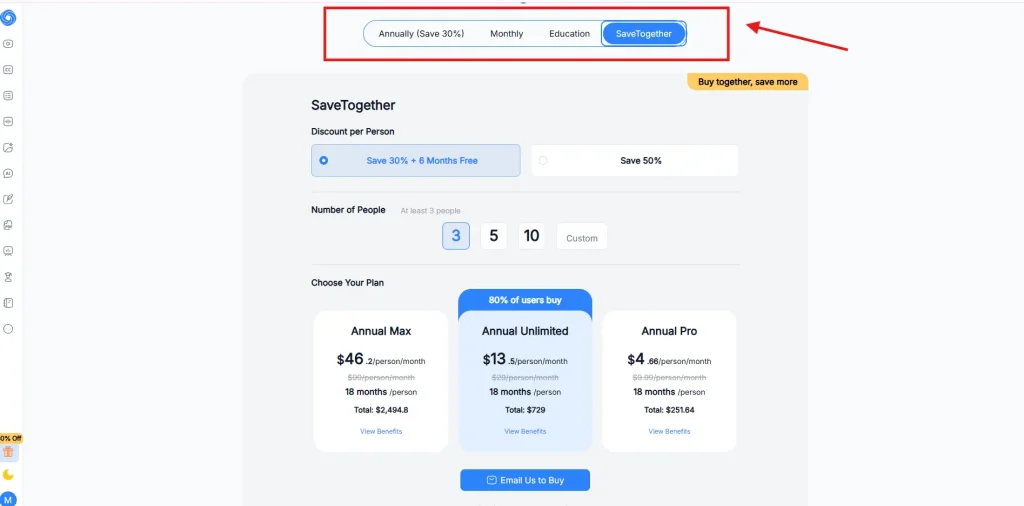
NoteGPT offers multiple subscription options. Besides the standard annual and monthly plans, it provides a one-month free plan for education and group plans where at least three users can subscribe together, the more people join, the bigger the discount.
What Is Saveto AI?
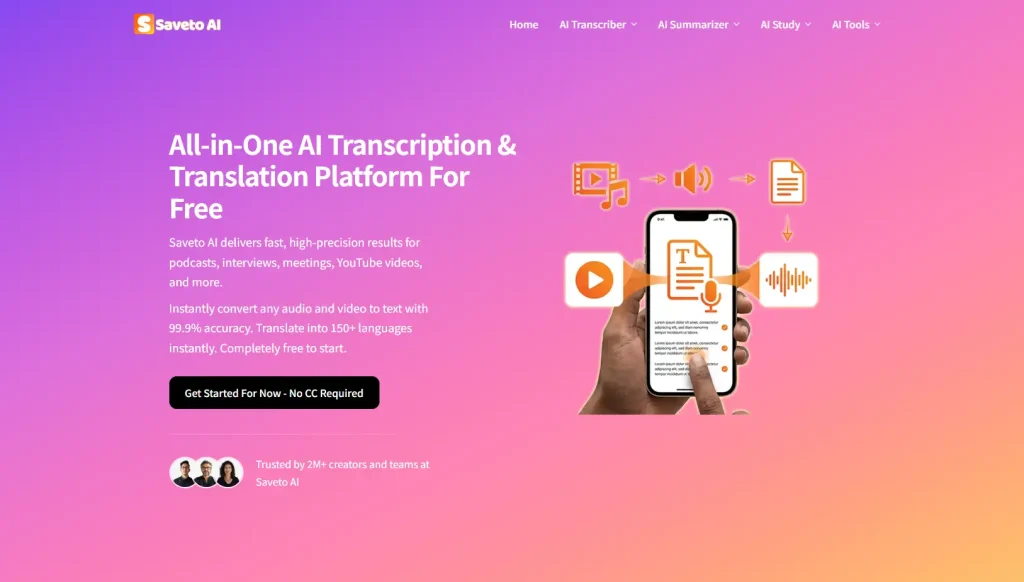
Target Users of Saveto AI
👩🏼🎓Students and Learners
For students, transcribing online courses and creating summaries makes note-taking very convenient, especially during last-minute exam revisions.
👩🏼🎨Content Creators
YouTubers, podcasters, or anyone producing audio and video content who wants fast, accurate transcripts for editing, captions, or repurposing content.
👩🏼💻Business Professionals
Those who attend frequent meetings, webinars, or virtual conferences and need accurate transcripts and concise summaries to keep track of key points and action items efficiently.
How Does Saveto AI Improve on the Problems of NoteGPT?
✅Supports Transcription Across Multiple Platforms
Saveto AI isn’t limited to YouTube, it also supports video transcription from platforms like TikTok, Instagram, and more.
✅User-Friendly Interaction
Those minor issues that need improvement on NoteGPT are all addressed in Saveto AI, providing a smoother and more beginner-friendly experience.
✅Unlimited Video Length
Unlike NoteGPT, which limits videos to 1GB, Saveto AI has no restrictions on video size.
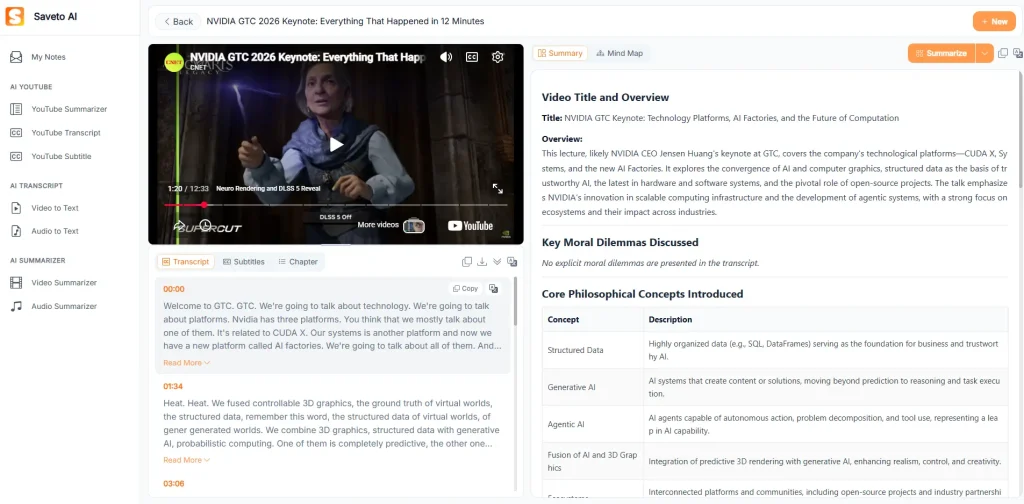
✅Clear and Spacious Video Display
Saveto AI provides a large, clear video area, making it easier for users to verify the accuracy of their transcriptions.
Saveto AI
NoteGPT
✅100% Free to use
Saveto AI is fully free, allowing you to transcribe anytime, anywhere. No login is required, and it can be used directly online.
NoteGPT vs Saveto AI: Which One Should You Choose?
NoteGPT vs Saveto AI: Quick Comparison
| Feature | Saveto AI | NoteGPT |
|---|---|---|
| Platforms | YouTube, TikTok, Instagram | YouTube Only |
| Video Length Limit | 1GB | Unlimited |
| Price | Freemium | 100% Free |
| User Interface | Spacious, clear display | Compact video display |
| Templates | ✅ | ✅ |
| Transcription Accuracy | ~98.6% | ~95.9% |
| Batch processing | ❌ | ✅ |
When to Choose Saveto AI Over NoteGPT?
The choice is clear-cut. Opt for Saveto AI if your primary needs are:
● Cost-Effectiveness: You don’t need to pay at all, enjoy completely free transcription.
● Platform Flexibility: Not limited to YouTube, TikTok and Instagram are also supported for transcription, meeting multi-platform needs.
● Simplicity: If you’re a beginner looking for a simple, intuitive, and easy-to-use interface, this tool is a great fit for you.
In fact, you don’t need a bunch of fancy features. By focusing on the essentials and offering a free, no-login experience, Saveto AI delivers a superior transcription experience.