


Free AI Meeting Note Taker Online

Turn your long meetings into clear, easy-to-follow notes with our AI meeting note taker. Stop wasting time sorting through meeting details and focus on what really matters, key updates, decisions, and who's responsible for what.

User1
User2
User3


AI meeting note taker

Turn Your Next Meeting into Clear Notes

AI Meeting Note Taker That Goes Beyond Notes

From what was said to what happens next, our AI meeting assistant keeps your meetings connected to the work that follows.

01.

Capture Meeting Transcripts, Summaries & Action Items

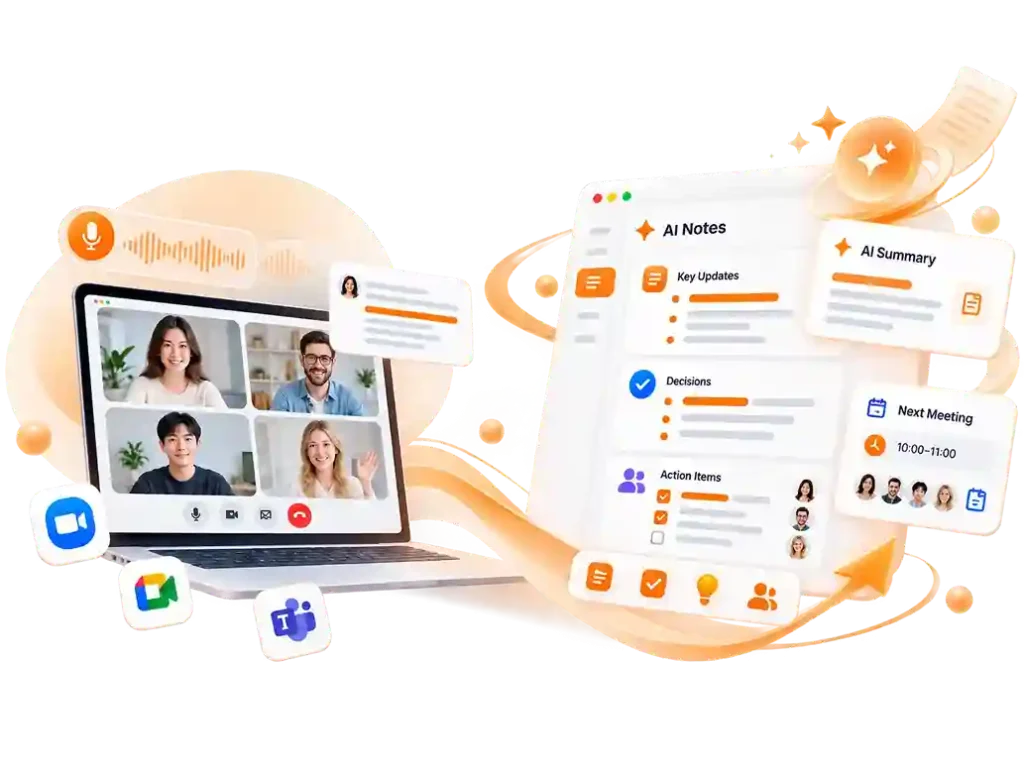
It's not just about turning a long meeting video or recording into text. Our AI meeting note taker pulls out the decisions, action items, important updates, and key discussions, so you don't have to spend time digging through pages of transcripts to find what matters.

  • Full meeting transcripts
  • Meeting summaries & key discussions
  • Decisions & action items

02.

Customize Easy-to-Follow Notes for Every Meeting

Client calls, project discussions, and 1-on-1s all have different things worth paying attention to. Our AI meeting note taker offers flexible note formats to fit almost any type of meeting, so you're not left with the same long summary every time. Get notes that are easy to scan and simple to follow up on.

  • Flexible note structures
  • Meeting-specific sections
  • Formats that fit your workflow

03.

People-Focused Meeting Notes for Clearer Follow-Ups

Who said what, who made the decision, and who's responsible for what can matter just as much as the meeting summary itself. Our AI meeting note taker identifies different speakers, lets you edit their names, and keeps their comments linked to the right people, so you always know who said what.

  • Automatic speaker identification
  • Editable speaker names
  • Speaker-based action tracking
How it works

How to Use the AI Meeting Note Taker Skill ?

01

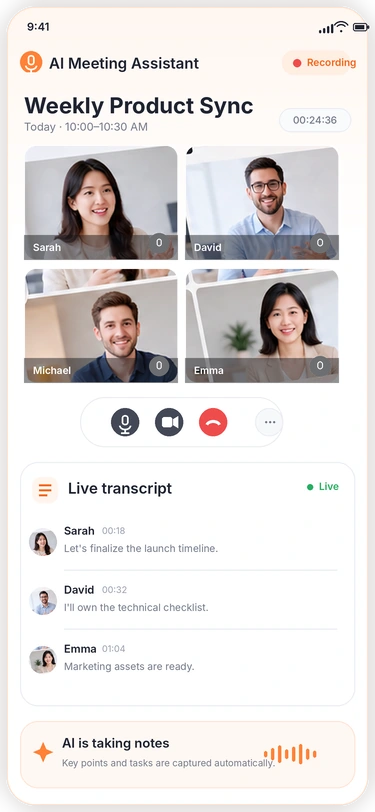
Record & Transcribe in Real Time

Once you start recording, this Skill will transcribe the meeting in real time. You can switch to another page without interrupting the transcription.

02

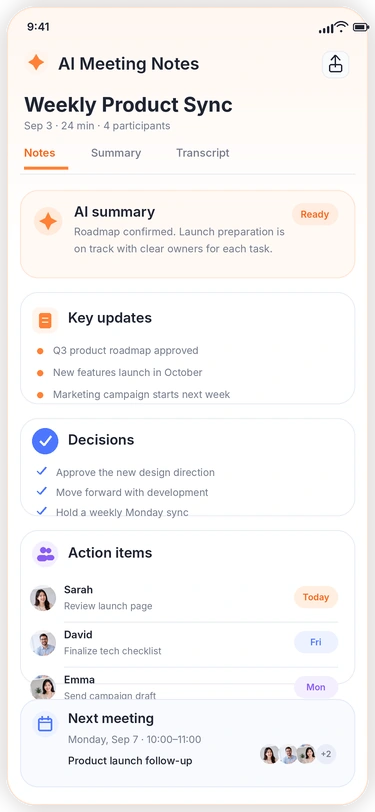
Generate Notes

Choose a template you need to generate the right meeting notes. You can also edit speaker names, making it easier to keep track of who is responsible for what.

03

Follow Up on the Meeting

Use the meeting notes to move on to the next steps, whether that means organizing tasks or handling other follow-up work after the meeting.

AI Meeting Note Taker for Any Meeting

Our AI meeting note taker works with most popular meeting platforms, as well as meeting videos and audio recordings. Keep all your meeting content in one place and turn it into notes you can easily review later.

  • Google Meet
  • Zoom Meetings
  • Microsoft Teams
  • Webex Meetings
What Our Users Are Saying

What Our Users Are Saying

Thousands of teams have already used our AI meeting assistant. Join them and start saving your team time on meeting notes.

Exceptional 4.9 rating

With other AI meeting note takers, the speakers were usually just labeled Speaker 1, Speaker 2, and so on. I'd have to figure out who was who and rename them myself, which was a hassle. Being able to change the speaker names to real names makes the notes much easier to go back to later.

Samantha M.

Samantha M. Product Manager at Cloudnest

I used to have to wait a while after each meeting before I could see the full notes. This AI meeting assistant is much faster, I can usually see the notes right after the meeting ends. I sometimes have several meetings in one day, so that makes a big difference.

Michael B.
Michael B. Sales Lead at Worklane

I sometimes have meetings with clients from different countries, so I was a little worried that the AI meeting note taker might struggle with different languages and accents. But after using it, I was honestly impressed. It handles different languages really well, and even when a client speaks quickly, it can still keep up without affecting the notes.

Emma T.
Emma T. Marketing Manager at Nexora
Help Center

AI Meeting Note Taker FAQs

If you have any questions or suggestions about our Zoom AI note taker, please feel free to share your feedback with us.

What is AI meeting note taker?

AI meeting note taker is a meeting note-taking tool built with Skill capabilities. It transcribes your meetings in real time and generates organized notes based on what you need, including decisions, important updates, and action items, with each task linked to the right person to make follow-up work easier.

Does the AI meeting note taker support multiple languages?

Yes. It handles multilingual content well, including meetings where different languages are used in the same conversation.

Does it transcribe meetings in real time?

Yes. Our AI meeting assistant transcribes your meeting as it happens, so you can follow the conversation without waiting until the meeting ends.

Is my meeting content private?

Yes. Your meeting content is handled securely and only used as needed to provide the transcription and note-taking service. It is permanently deleted after 48 hours, with no backup left behind.

Can the AI meeting note Taker work with Google Meet?

Yes, it works with most major meeting platforms, including Google Meet, Zoom, and more.

Can the Zoom AI note taker be used on any device?

Yes, our Google meet AI note taker works across devices, including phones, tablets, and computers, so you can use it wherever you have a meeting.

Can I edit speaker names in the meeting notes?

Yes. The AI automatically identifies different speakers, and you can edit their names once the transcription is complete for easier reference.

Make Your Next Meeting Easier

Start using AI meeting assistant now and see how much easier your meetings can be.

Get key insights from your meetingg
Real time AI meeting transcription