
How to Record and Take Meeting Notes with AI for Teams
Author: Chloe Chen
Date: July 31, 2026
Summary: Learn how to record meetings and create smart notes with AI. This guide covers a step-by-step process, the best AI note takers in 2026 and everything you need for better meeting notes.
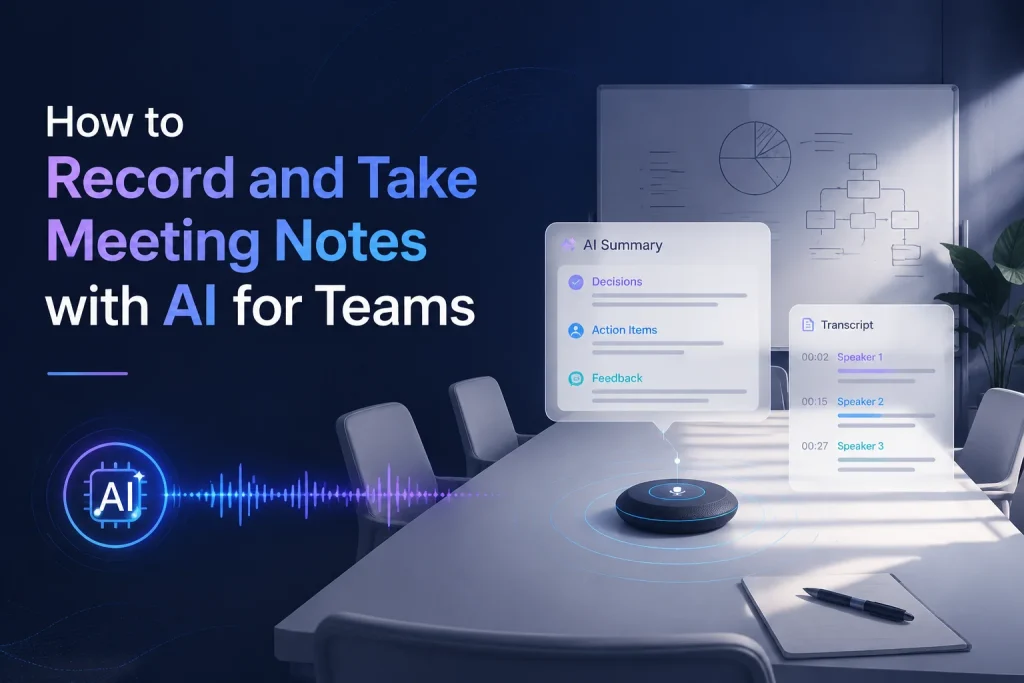
Meetings are essential for teamwork, but keeping accurate notes is still a challenge for many teams. Important decisions, customer feedback, and action items are often buried inside long conversations. After a meeting ends, teams still need to answer basic questions:
- What decisions were made?
- Who is responsible for the next steps?
- What feedback should be remembered?
- Where can we find this information later?
An AI note taker changes this process by automatically recording conversations, creating transcripts, and generating structured summaries. Instead of spending time documenting every discussion, teams can focus on collaboration while AI handles the information management.
At the end of this guide, you will know how to record and take meeting notes with AI, how AI meeting note takers work, and choose a right note taker for teams.
Why Teams Need an AI Note Taker
Modern teams spend a significant amount of time in meetings. From weekly team updates and project discussions to sales calls and customer interviews, meetings are where important information is created. As the number of meetings increases, keeping accurate records becomes more challenging. Someone may forget a decision that was made. A team member may miss an important deadline. A customer requirement mentioned during a call may never be properly documented. This is why many teams use AI note takers to keep meeting records accessible and easy to review.
Stay Focused During Meetings Instead of Writing Notes
One of the biggest problems with manual note-taking is that participants cannot fully focus on the discussion. When someone is responsible for writing meeting notes, they have to switch constantly between listening and recording information. In team meetings, active participation is often more valuable than trying to record every sentence.
Many enterprises now count on an AI meeting note taker in order to stay engaged during conversations while AI handles recording and documentation in the background.
Capture Complete Meeting Information
Even the most experienced note-taker usually records only what seems important at the moment. However, some details that appear minor during a conversation may become valuable later. While AI can grasp the complete discussion and create a searchable record automatically, business teams can review:
- Project decisions
- Customer requirements
- Task assignments
- Deadlines
- New ideas
- Follow-up tasks
However, after the meeting ends, people may remember different versions of the discussion.
Meeting takeaways generated by AI record what was discussed. Teams can have a reliable source of summaries, check decisions, and identify assigned tasks without relying only on memory.
Reduce Time Spent on Meeting Administration
Meeting notes often require additional work after the meeting:
- Organizing rough notes
- Rewriting key points
- Creating summaries
- Sharing updates with teammates
An AI note taker automates these steps by generating transcripts and summaries automatically. Instead of spending another 20 or 30 minutes organizing notes, teams can immediately access structured meeting information.
Create Searchable Knowledge for Your Team
Meetings often contain valuable information that disappears after the conversation ends. You may want to search through previous discussions and find specific information.
For example:
- When was a project deadline discussed?
- What feedback did a customer provide?
- Who was responsible for a specific task?
AI note takers create searchable records from these conversations. When someone needs information from a previous meeting, they can search transcripts and review the relevant section quickly.
AI Note Taker for Teams vs Traditional Meeting Notes
Traditional note-taking has been used for years, but it has limitations when teams need faster and more accurate information management. It still works for small conversations, but also becomes harder to manage as teams have more meetings and more information to track.
AI note taker records conversations and organizes information automatically.
| Feature | Traditional Meeting Notes ❌ | AI Note Taker ✅ |
|---|---|---|
| Recording conversations | Manually take notes or record separately | Automatically records audio |
| Note creation | Written manually during or after meetings | Generated automatically during conversations |
| Meeting transcript | Usually requires additional tools | Converts speech into text |
| Time required | Very long | Very Fast |
| Accuracy | Depends on the person taking notes | Captures the complete conversation |
| Searching information | Difficult | Search through transcripts easily |
| Multiple languages | Limited | Supports multilingual conversations |
| Meeting summaries | Summarize key points by someone | AI creates structured summaries |
The main difference between the two methods is the workflow.
- The former:
Listen → Write → Organize → Share - The latter:
Record → Transcribe → Summarize → Share
How to Record and Take Meeting Notes with AI
An AI note taker combines meeting recording with content understanding, which usually works through three simple steps. The basic process includes recording the conversation, converting speech into text, and creating organized notes.
Step 1: Record Your Meeting
Start the AI note taker before your meeting begins and record your meeting audio.
(Note: Before recording, teams should make sure all participants understand that the meeting is being recorded and follow applicable privacy requirements.)
Step 2: Get and Edit Your Meeting Notes
After AI converts the conversation into text, the transcript allows teams to review the entire meeting instead of relying only on a short summary. With AI-generated transcripts, users can:
- Search specific information
- Edit text
- Translate content into other languages
- Organize important details
Step 3: Generate Meeting Notes with AI Summaries
Many AI meeting note takers also provide different summary formats based on the user’s needs. A project manager may prefer meeting minutes, while an employee may need more detailed notes.
Depending on the purpose, teams can create:
- Meeting minutes
- Smart notes
- Project summaries
- Follow-up records
Other Use Cases of AI Note Takers
Although meeting notes are one of the most common applications, AI meeting note takers can support many other workflows.
Lectures and Online Courses
Students can record lectures and generate structured notes for studying. AI can help summarize long lessons and highlight important concepts.
Interviews
Journalists, researchers, and recruiters can use AI transcription to capture conversations and quickly review key information.
Brainstorming Sessions
Creative teams can preserve ideas generated during discussions and organize them into actionable plans.
Research and Content Creation
Writers and marketers can use AI transcripts and summaries to extract insights from interviews, videos, and discussions.
Best Tools for Taking Notes with AI (2026)
AI note-taking tools have become increasingly popular for capturing, organizing, and summarizing information. Different solutions focus on different use cases, including meeting transcription, education, productivity, and content organization.
Saveto AI
Saveto AI is a free AI tool that combines transcription, summarization, translation, and content extraction features in one place. Besides taking meeting notes, users can process videos, audio files, YouTube videos, TikTok videos and other content sources. There also are AI study tools for students to improve study efficiency.
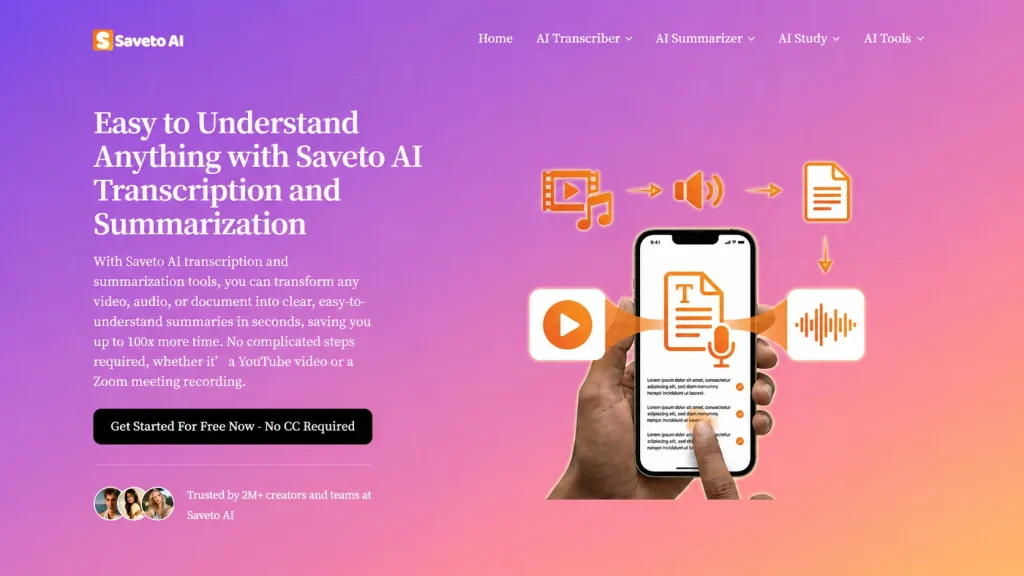
Saveto AI provides unlimited access to its core features at no cost. Saveto is a good fit for users who want a lightweight solution for turning meetings, discussions, and voice recordings into organized notes.
HappyScribe
HappyScribe brings its transcription technology into the meeting note-taking space. The tool can record real-time meetings, and it also works with Google Meet, Zoom, and Microsoft Teams, capturing conversations and turning them into transcripts, summaries, and follow-up notes after meetings. For users who prefer a quieter workflow, its browser-based recorder provides a bot-free way to record and transcribe discussions without adding an assistant to the call.
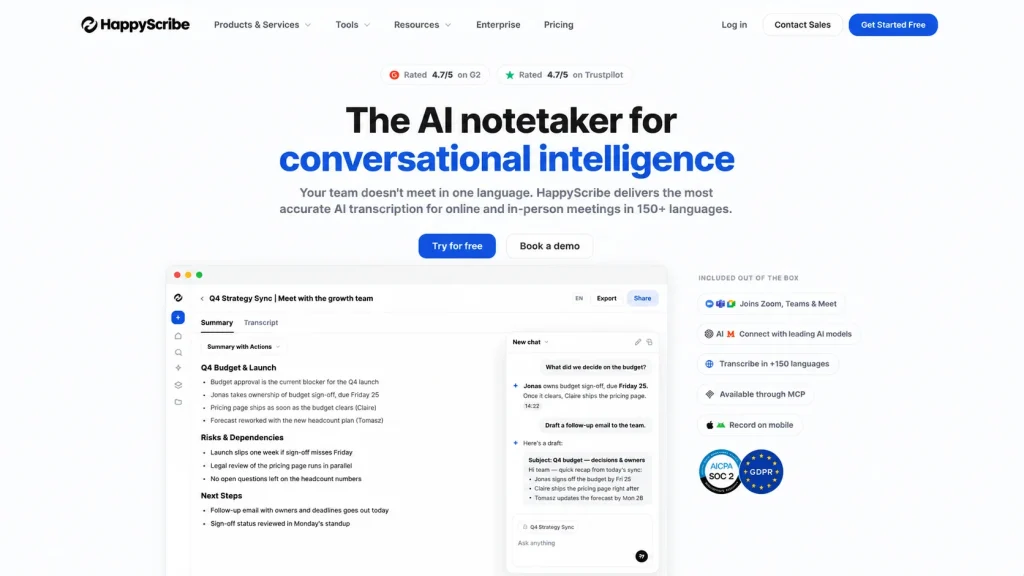
While HappyScribe has expanded into meeting productivity, its core strength remains in transcription, subtitles, and multilingual content workflows. It is particularly useful for users working with interviews, podcasts, videos, and other recorded materials.
NoteGPT
NoteGPT is an AI-powered learning assistant that helps users turn scattered information into organized notes. It can capture and summarize content from meetings, videos, audio files, PDFs, and web pages, as well as quickly extract key points without spending time reviewing long materials manually.
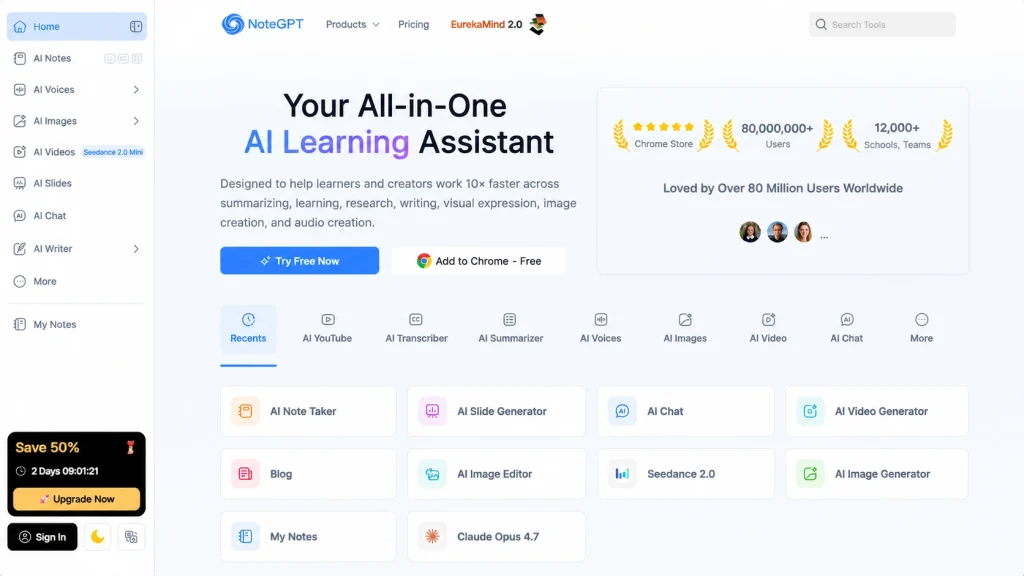
The tool creates structured summaries that are easy to search, edit, and revisit. Whether it’s preparing meeting recaps, taking lecture notes, or analyzing research content, it provides a more efficient way to collect and manage knowledge across different sources. NoteGPT offers a free trial for users to explore its features, while paid plans unlock more access to other functions like AI Chat.
Tactiq
Tactiq is a Chrome extension designed for professionals who need real-time notes during online meetings. It works with platforms like Google Meet and Zoom to capture conversations as they happen, generate searchable transcripts, and store them in users’ preferred productivity tools for easy reference.
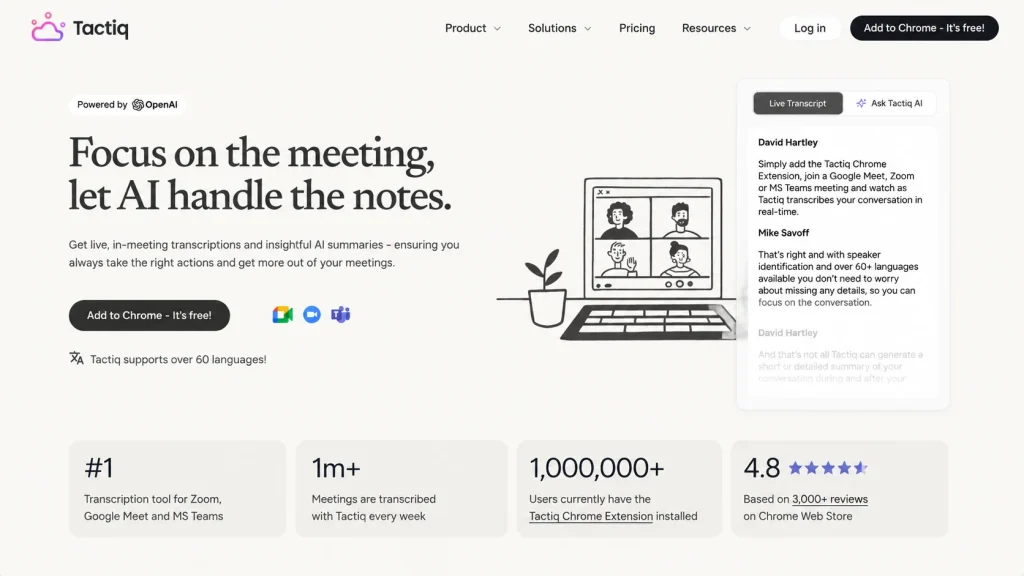
It helps teams quickly identify and retain important points during short discussions. While it does not currently offer file upload support, Tactiq remains a practical solution for users who frequently join video calls and want an efficient way to create smart meeting notes.
Bottom Line
Each AI note-taking tools has something different to offer. The right one depends on how you plan to use it. If you are looking for the best AI note taker for batch recording, transcribing, and summarizing real-time meeting content, Saveto AI is the winner with unlimited access. If your focus is learning, research, or organizing knowledge from multiple sources, NoteGPT offers a more education-oriented experience. For taking notes for online meeting platforms like Google Meet and Zoom, modern teams may love HappyScribe and Tactiq.
No matter which one you choose, the right note taker can transform the way you handle information. From turning conversations into clear notes to organizing large amounts of content, these solutions take care of the time-consuming work behind the scenes, helping you save time, reduce effort, and stay focused on more important tasks.
🚀Why Teams Choose Saveto AI for Meeting Notes
While many AI meeting note takers can record conversations, the quality of meeting notes depends on transcription accuracy, flexibility, and how easily teams can turn conversations into useful information. Saveto AI provides a free AI note taker experience without login. Users can quickly record content and test AI-powered note-taking features.
Real-Time Recording and Transcription
Start recording and the tool transcribes as the meeting happens, so the text is ready the moment you stop. The transcript becomes available immediately after recording.
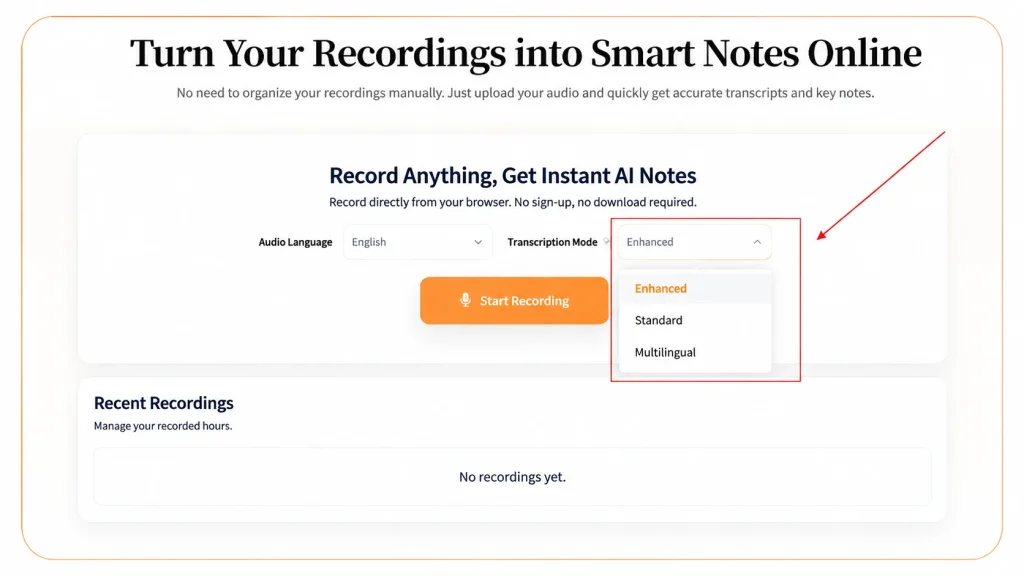
Three AI Transcription Modes for Different Meeting Environments
| Mode | Designed for | Best used when |
|---|---|---|
| Standard | Clear audio, single language | Internal team meetings, minimal background noise |
| Enhanced | Complex conversations | Noisy rooms, different accents, less clear speech |
| Multilingual | International team conferences | Participants switch between languages |
Standard gives fast, stable transcription for everyday scenarios. Enhanced steps in when audio isn’t clean. Multilingual is built for the global teams that mix languages mid-meeting.
Edit, Search, and Translate Meeting Transcripts
Users can search through their notes, fix a name, and translate a section into another language, which is especially useful when a teammate or candidate doesn’t share your first language. It’s the difference between a note only half the team can read and one everyone can use.
Generate AI Meeting Summaries
Pick a summary style and get structured notes with the decisions, action items, and highlights pulled out. Users can create different types of notes depending on their purpose.
Ensure High Security & Privacy
Meeting audio may cover sensitive data, and most teams never ask what happens to it after the note is written. With Saveto AI, the recording is processed in your browser and cleared from the server within 48 hours.
Free AI Note Taker Without Login
Users can start using Saveto AI directly in their browser without creating an account or completing a lengthy setup process. Open the free AI note taker and get started.
💡Tips to Take Meeting Notes More Efficiently with AI
An AI meeting note taker can significantly improve the note-taking process, but the recording environment still affects the final quality. Here are some practical tips to improve AI-generated meeting notes.
Reduce Background Noise Before Recording
Background noise can affect transcription accuracy. A cleaner audio environment gives AI a better foundation for transcription. Before starting a meeting, try to:
- Avoid placing the microphone near noisy equipment
- Ask participants to speak clearly
- Choose a quieter room
- Reduce unnecessary sounds
Place Recording Devices Properly
Whether you use an AI note taker on a computer or a phone, the position of your recording device can influence audio quality. If the device is too far away, voices may become unclear. If it is too close to one person, other speakers may not be captured equally. For meetings with multiple participants:
- Place the device near the center of the room
- Keep it at an appropriate distance from speakers
- Avoid blocking the microphone
A balanced recording position allows AI to capture different speakers more clearly.
Remember to Review After Meetings
Use AI note takers as an excellent assistant, not a replacement. It can save significant time, but we cannot overlook the importance of review. Before exporting meeting notes, take a few minutes to check:
- Important decisions
- Names and responsibilities
- Deadlines
- Numbers or technical details
- Missing notes
FAQs About AI Note Taker
What is an AI note taker?
An AI note taker is a tool that uses artificial intelligence to record conversations, convert speech into text, and generate organized notes or summaries automatically.
Can AI record and transcribe Team meetings?
Yes. AI note takers can record meeting audio and convert conversations into searchable transcripts. After transcription, AI can analyze the content and generate summaries, key points, and action items.
Is there a free AI note taker without login?
Yes. Saveto AI allows users to start recording and generating AI notes without complicated registration steps.
How does AI create meeting summaries?
AI analyzes the meeting transcript, identifies important topics, decisions, and key information, then organizes them into a shorter summary.
Can AI note takers support multiple languages?
Yes. Many modern AI note takers support multilingual transcription, so participants feel free to use different languages during meetings.
Can an AI note taker transcribe accents?
Yes. Using enhanced transcription modes can improve accuracy when meetings include strong accents or challenging audio conditions.